
What Dash-Cam Setup Does Your Maverick Need?
CHOOSE THE RECORDING JOB BEFORE CHOOSING CAMERA POWER
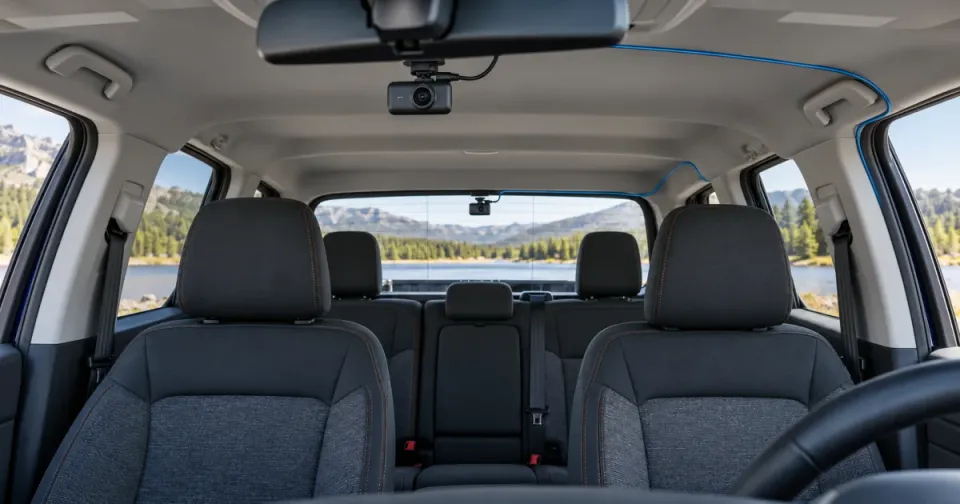
For a Maverick front-and-rear dash cam, separate driving footage from recording while parked. Parking surveillance needs a supported power method and settings; a tidy factory-looking mount alone does not provide it. Choose the events you want recorded, then confirm camera coverage, installation and battery protection for the actual truck. No universal fuse location or promised overnight runtime applies to every Maverick.
Fit Assistant · For your setup
Apply this to your truck and plans
Tell us a little about your situation. Fit Assistant will help you apply this guide.
What should happen when the ignition turns off?
Write down the event you want to capture. A parking-lot impact, movement near the truck and continuous overnight recording are different requirements. Ask whether the selected mode records before an event, after waking or at reduced frame rate. Model-specific behavior matters more than a broad “parking mode” label.
Thinkware's parking-mode guidance distinguishes impact, motion, time-lapse and model-specific radar modes. Its documentation requires a hardwiring or supported OBD power cable and installation for the described surveillance functions, and recommends professional installation. Those are Thinkware-specific requirements, not every camera's wiring plan.
Does a clean mounting kit solve power and rear coverage?
No. Treat mount fit, front/rear recording and parked power as separate parts of the quote. A discreet front camera can still need a rear camera, cable routing and a different power arrangement for the feature you want.
Ask the installer to confirm the mirror/sensor housing application and the rear window arrangement on your Maverick. Plan the rear view with tint, window movement and normal cargo in mind. Do not assume the same housing, connector or routing applies across model years.
What should you ask about the battery?
Discuss how long the truck is parked and how often it is driven. Ask the camera maker and installer which cutoff, timer or supported battery-pack options apply to the selected model. Recording duration depends on the equipment, settings and conditions; it is not a universal number to copy from an owner post.
An external battery is another configured system, with its own charging and mounting needs. Compare the complete installation rather than assuming it removes every vehicle-power concern. Do not pick a fuse from an older-year diagram or route a wire across safety equipment using generic internet instructions.
| Your goal | What to verify | Practical trade-off |
|---|---|---|
| Driving evidence | Front/rear coverage and readable footage | Mounting, glare and cable routing |
| Parked-event recording | Exact mode, supported power and cutoff | Available recording window |
| Remote notification | Connectivity and service requirements | Coverage and ongoing cost, if any |
| Minimal visible equipment | Vehicle-specific mount and rear camera plan | Appearance does not settle functions |
Will the footage be useful when you need it?
Ask for a demonstration of playback, saving a clip and checking the memory card. Confirm the supported card and maintenance procedure in the camera instructions. A camera that powers on is not proof that both channels are recording correctly.
At handover, review a front and rear sample in the normal installation, then confirm the selected parked behavior. That turns a list of features into a usable recording setup without asking you to become a wiring specialist.
Compatibility snapshot
| Proposed purchase | What remains specific | Required confirmation |
|---|---|---|
| Thinkware parking setup | Model, mode and supported power accessory | Camera documentation and installation · Thinkware's parking-mode guidance |
| Factory-style Maverick mount | Exact year and housing | Mount maker's application · Thinkware's parking-mode guidance |
| Any hardwired camera | Actual truck circuits and safe routing | Qualified installation; no universal fuse recipe · Thinkware's parking-mode guidance |
Before buying, give the installer your parking routine and recording goal. Browse Maverick Guides and interior and electronics.
Sources & notes
- Thinkware parking mode, checked 2026-11-06. Supported power and operating-mode examples only; no promise of continuous recording or a specific runtime. Existing hosted illustration retained; no fuse assignment or firsthand camera test.