
Which Phone Mount Fits a Second-Gen Tacoma?
CHOOSE THE LOCATION BEFORE THE HOLDER
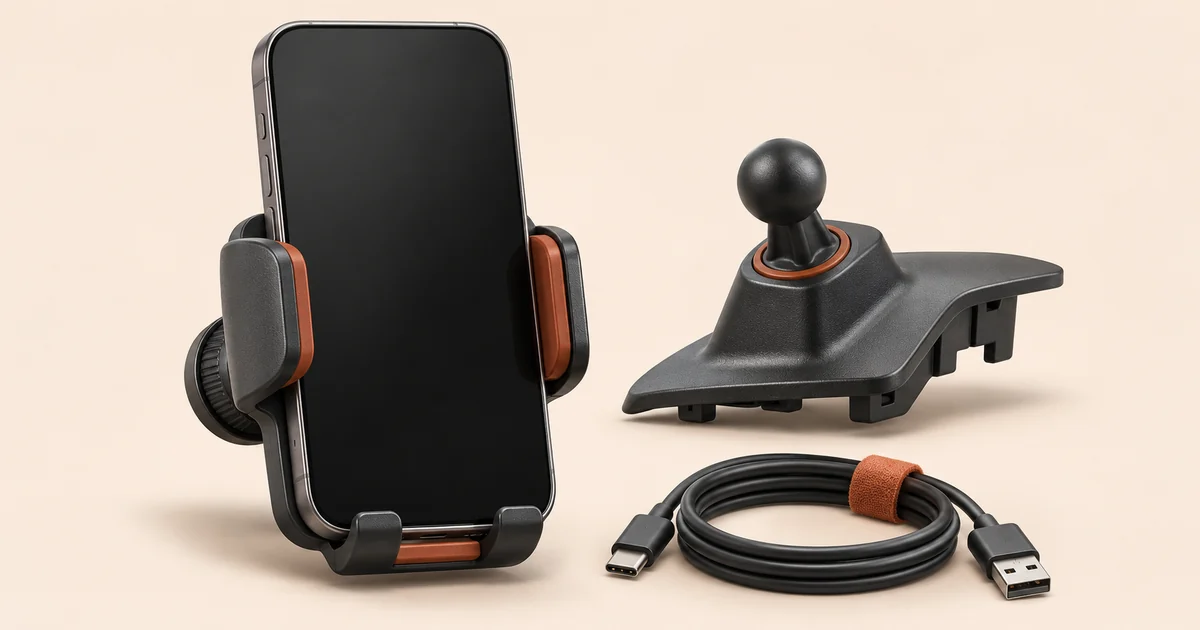
For a 2005–2015 Tacoma, compare the dash attachment and phone holder as separate choices. Bulletpoint’s RubiGrid requires drilling the trim; A-Tach 50140 installs without drilling but blocks the dash clock and needs a separate holder. Charging also depends on the selected holder: a magnetic mount does not automatically support wireless charging with your phone and case.
Fit Assistant · For your setup
Apply this to your phone mount
Tell us a little about your situation. Fit Assistant will help you apply this guide.
Two documented second-gen dashboard options
| Choice | Dashboard attachment | Access trade-off | What completes the purchase |
|---|---|---|---|
| Bulletpoint RubiGrid, 2005–2015 | Center stack, above HVAC and below radio; six trim holes | Ball placement may partly block hazard/clock-adjustment buttons | Complete configuration or compatible ball, arm and holder |
| A-Tach 50140, 2005–2015 | No-drill dash attachment | Maker explicitly says it blocks the clock | Separate device holder; charging hardware if wanted |
| Generic holder without a vehicle base | Depends on the attachment you already have | Must be checked in the actual location | Matching connection, holder and supported phone/case |
Sources: Bulletpoint’s second-gen RubiGrid and A-Tach 50140. These are two documented routes, not an exhaustive ranking or our vibration test.
Is avoiding drilling your first priority?
If yes, rule out a mount whose instructions require drilling before comparing its appearance. The RubiGrid’s six holes are a stated part of its installation. A vehicle-specific product is not automatically a no-drill product.
A-Tach provides a no-drill alternative for this dashboard, but it has a different cost: the clock obstruction. Decide whether that location suits your use. A phone or case can occupy more space than the base shown on a product page, so inspect the whole mounted arrangement rather than just the attachment point.
If you are comfortable modifying the trim and want an expandable arrangement, RubiGrid is worth comparing. Obtain the current instructions and complete configuration; its modular design does not make every possible device position equally useful in your truck.
Price the whole mount
A-Tach’s reviewed $36.99 price is for the dash attachment. It cannot hold a phone by itself. A holder is a separate purchase.
Bulletpoint likewise distinguishes its base-only option from prebuilt configurations. For a base-only phone setup, its product page calls for an AMPS ball, an arm and a device holder. Add the charging parts and power connection to the quote if that is part of your goal.
| Quote line | What to record |
|---|---|
| Vehicle base | Exact 2005–2015 dashboard application |
| Connection and arm | Compatible pieces for that base and position |
| Holder | Actual phone, case thickness and retention method |
| Charging | Charger, cable and suitable power arrangement |
| Installation | Any trim drilling or other required work |
A low base price and a complete charging mount are not comparable totals. Ask for one finished parts list rather than discovering the missing holder after delivery.
Magnetic does not always mean MagSafe or charging
Bulletpoint’s reviewed page says its DiabloM6 magnetic holder uses a metal plate, including with MagSafe-equipped iPhones, and that this prevents wireless charging. It lists separate MagSafe-compatible and wireless-charging options.
That is a product-specific distinction. Do not infer that every magnetic mount charges a phone—or that every MagSafe-compatible holder includes a charger. Select the exact holder for the phone and case, then check what power hardware is needed.
If the case is unusually thick or has a surface that affects attachment, confirm it with the holder supplier. A mounting claim for the base does not establish retention with every phone case.
Try the whole position before choosing
With the truck parked, consider the size and orientation of the phone where you plan to put it. Can you reach the controls you actually use? Is the charging connection accessible? Does the arm put the device in the way of another accessory?
For RubiGrid, the maker specifically notes possible partial obstruction of the hazard and clock-adjustment buttons depending on ball placement. For A-Tach, clock obstruction is stated. Keep those known limits visible rather than promising a completely unobstructed dashboard.
Do not position a device in an airbag deployment area or treat a product photo as confirmation of your complete arrangement. Use the maker’s instructions for attachment; this guide does not prescribe a drilling location.
Two practical choices
2012 Tacoma, MagSafe phone, no drilling preferred: A-Tach is a documented no-drill base to investigate if losing clock visibility is acceptable. Add an appropriate holder and charger rather than comparing its base price with a complete RubiGrid package.
2008 truck, several devices and willing to drill: compare RubiGrid’s complete configuration around the actual controls and device positions. If wireless charging matters, the DiabloM6 metal-plate route is not the appropriate assumption.
For a newer dashboard, use the 2016–2023 phone-mount guide. The older dash attachments here do not carry over by generation name.
Compatibility snapshot
| Product/application | Vehicle fitment | Result | Required check |
|---|---|---|---|
| RubiGrid second-gen base | 2005–2015 Tacoma | Documented application; drilling required | Device placement and complete configuration · Bulletpoint’s second-gen RubiGrid |
| A-Tach 50140 | 2005–2015 Tacoma | Documented no-drill attachment | Clock obstruction and separate holder · A-Tach 50140 |
| DiabloM6 metal-plate holder | Selected compatible setup | Not a wireless-charging route per maker | Choose the appropriate charging holder · Bulletpoint DiabloM6 charging guidance |
| Either base on another dashboard | Outside named application | Unknown until documented | Correct vehicle base · Bulletpoint’s second-gen RubiGrid · A-Tach 50140 |
What completes the choice?
A location you accept, a holder that suits the phone/case and a complete charging plan if needed. Fit Assistant can help weigh those trade-offs without needing every detail before giving useful advice.
Browse Tacoma Guides and interior and electronics.
Sources & notes
Reviewed 7 November 2026. Named mounting and charging limits come from the linked makers. Prices are dated observations, not installed quotes. Generic illustrations are not dashboard templates or attachment instructions. No universal off-road retention, charging performance or obstruction-free placement is claimed.