
Which CarPlay Adapter Fits Your Silverado 1500 Screen?
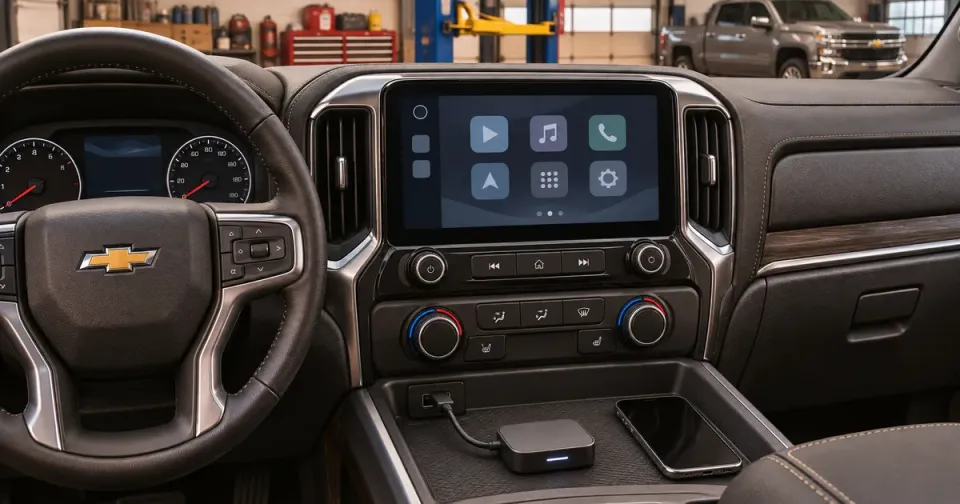
Test the existing projection feature before ordering an adapter
Ottocast U2Air Pro converts supported wired CarPlay to wireless. First test whether your Silverado 1500 already runs CarPlay through its data port. If it does not, use a documented radio or module upgrade instead. WAMS lists separate applications for early T1 radio modules and the refreshed system.
Fit Assistant · For your setup
Apply this to your Chevrolet Silverado 1500
Use your truck and the decision you are making.
Keep the screen if it already meets the requirement
Connect an iPhone to the proper data port and confirm CarPlay runs. If factory wireless already works, you can pair the phone using Chevrolet’s instructions. If wired works and you want wireless, confirm adapter compatibility. If projection is absent or the screen itself needs replacement, use the Silverado infotainment guide. Ottocast U2Air Pro WAMS early T1 Silverado infotainment options Chevrolet Apple CarPlay support
Compatibility snapshot
| Setup | Documented starting point | Check before buying |
|---|---|---|
| Wired CarPlay works and wireless is desired | Ottocast U2Air Pro candidate | Confirm exact radio and adapter support. Ottocast U2Air Pro |
| No working factory projection | Check the exact radio and supported WAMS upgrade | Match architecture before choosing hardware. WAMS early T1 Silverado infotainment options Chevrolet Apple CarPlay support |
Browse more Chevrolet Silverado 1500 guides.
Sources & notes
Last verified 9 November 2026.
- Documents the wired CarPlay requirement for its adapter Ottocast U2Air Pro.
- Identifies supported module upgrade paths and the refresh boundary WAMS early T1 Silverado infotainment options.
- Shows factory connection methods Chevrolet Apple CarPlay support.
See our methodology.